
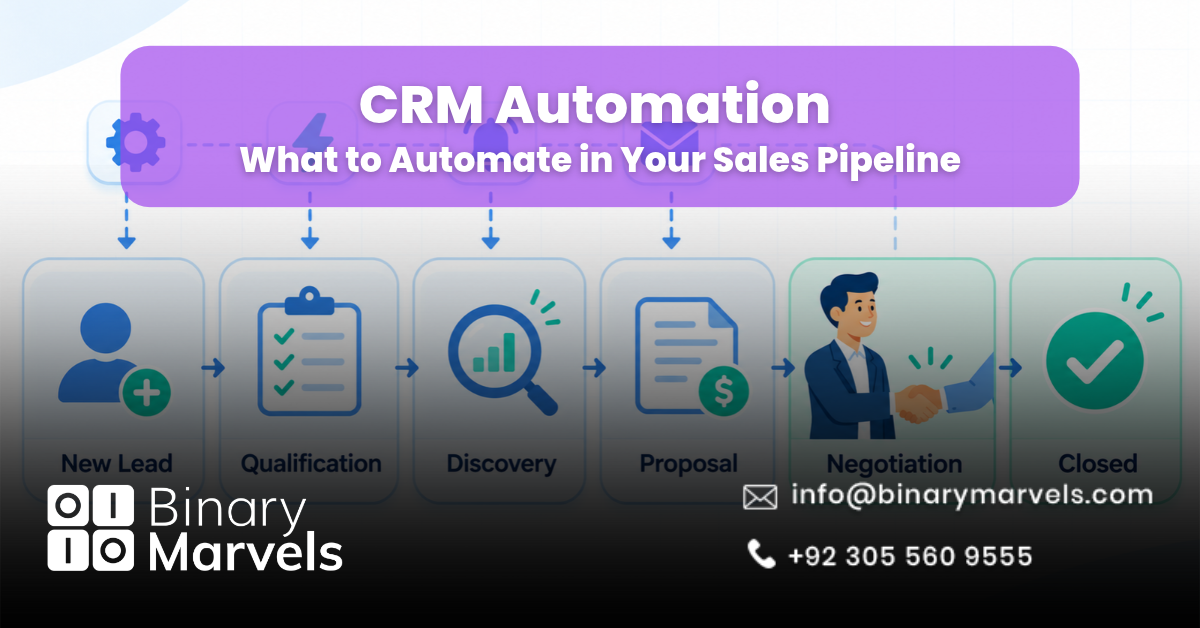
Most sales reps do not lose deals because they can’t sell. They lose them because selling gets buried under admin. Salesforce’s State of Sales report found that reps spend only 28% of their week actually selling. McKinsey estimates that about a third of sales and sales operations tasks can be automated with current technology.
CRM automation closes that gap, but automating the wrong things creates spam and messy data. This guide shows what to automate in your sales pipeline, stage by stage, what to keep manual, and how to set rules that don’t backfire.
What Is CRM Automation?
CRM automation is the use of rules inside your CRM to complete sales tasks without a person doing them by hand. Every rule has three parts:
- Trigger: the event that starts the rule, such as a new form fill or a deal moving stages.
- Condition: the filter that decides if the rule should run, such as “deal value over $10,000” or “lead source is Google Ads.”
- Action: what the CRM does, such as assigning an owner, creating a task, or sending an email.
Sales pipeline automation is simply CRM automation applied to the path a deal takes from first contact to closed. It is one part of wider business process automation, focused only on revenue work.
How to Decide What to Automate in Your Sales Pipeline
Run each task through four questions. If all four answers are yes, automate it.
- Is it repetitive? It happens the same way many times a week.
- Is it rule-based? You can write the logic as “if this, then that” without saying “it depends.”
- Is the data clean? The fields the rule depends on are filled in and correct.
- Is a mistake cheap? If the rule fires wrongly, the damage is small and easy to undo.
A task that fails question four, like sending a pricing proposal, should be assisted by automation (a draft or a template) but sent by a person.
What to Automate at Each Stage of the Sales Pipeline
1. Lead Capture, Deduplication, and Routing
This is the highest-value CRM workflow for most teams because speed matters so much. A Harvard Business Review study of 2,241 US companies found that firms contacting a lead within an hour were nearly seven times as likely to qualify it as firms that waited even an hour longer.
Automate these steps:
- Pull leads from web forms, ad platforms, and chat into the CRM instantly.
- Check for an existing contact or company before creating a new record.
- Assign an owner by territory, round-robin, deal size, or rep capacity.
- Notify the owner and create a “first contact” task due within the hour.
- Reassign the lead if the task is still open after your response window.
2. Lead Scoring and Qualification Signals
Lead scoring adds points for fit (job title, company size, industry) and behavior (pricing page visits, demo requests). Automate the scoring and the alert when a lead crosses your threshold, but keep the final qualification call with a rep.
3. Activity Logging and Data Entry
Manual logging is where CRM data falls apart. Automate:
- Syncing emails, calls, and calendar meetings to the right contact and deal.
- Filling company details like size and industry through data enrichment.
- Creating a CRM record when a prospect books a meeting through your scheduler. An AI appointment setter can handle the booking itself and push the meeting straight into your pipeline.
4. Follow-Up Sequences and Task Reminders
Automated follow-ups keep leads warm, but they need stop rules. A good sequence ends the moment a prospect replies, books a meeting, moves stages, or unsubscribes.
For SMS follow-ups, collect clear consent first. In the US, marketing texts fall under the Telephone Consumer Protection Act, and most CRMs let you store consent status as a field your rule can check.
5. Deal Stage Automation
Stage changes should trigger the work that always follows them. Examples:
- Meeting held: create a task to send a recap within 24 hours.
- Proposal sent: start a reminder if the proposal isn’t opened in three days.
- Contract signed: move the deal to Closed Won automatically.
Use required fields to protect data quality. For example, a deal can’t enter the Proposal stage without a value and an expected close date.
6. Stale Deal Alerts and Escalations
Many guides suggest fixed alerts at 7, 14, or 21 days of no activity. A better method is to base the threshold on your own data. If deals usually sit in Discovery for six days, flag any deal that passes nine days (about 1.5 times the average). Alert the rep first, then the manager if nothing changes, and escalate high-value deals sooner.
7. Closed-Won Handoff and Closed-Lost Recycling
The pipeline does not end at the signature. Automate:
- Creating onboarding tasks and notifying the delivery or success team on Closed Won.
- Requiring a loss reason on Closed Lost so your reports mean something.
- Moving lost deals into a nurture list and creating a re-engagement task in 90 days.
8. Pipeline Reporting and Forecasting
Schedule weekly pipeline reports instead of building them by hand. A weighted forecast multiplies each deal’s value by its stage win rate. Use your own historical win rates, not vendor defaults, and only after your data is consistent. This is also where AI business automation adds real value, through deal risk flags and call summaries a rep reviews before trusting.
Sales Pipeline Automation Map
| Pipeline Stage | Automate | Keep Manual |
|---|---|---|
| New Lead | Capture, dedupe, routing, first task | None |
| Qualification | Scoring, alerts, enrichment | Final fit decision |
| Discovery | Logging, recap tasks | The conversation itself |
| Proposal | Open tracking, reminders | Pricing and terms |
| Negotiation | Stale deal alerts | Objection handling |
| Closed | Handoff, loss reason, nurture | Executive check-ins |
What to Keep Manual in Your Sales Pipeline
Automation should support judgment, never replace it. Keep these with your reps:
- Discovery and qualification: reading buyer pain, fit, and who really makes the decision.
- Custom proposals and negotiation: adjusting price and terms for each deal.
- Relationship building: executive alignment and rescuing a deal that’s going sideways.
- Sensitive messages: apologies, bad news, or replies to an upset customer.
Common CRM Automation Mistakes
These problems cause most automation failures:
- Automating messy data: rules run on fields, so empty or duplicate records produce wrong actions. Clean data first.
- Overlapping rules: two workflows on the same trigger can send double emails or loop forever. Keep a simple list of every active rule and its owner.
- No testing: run each new rule on test records before switching it on for live deals.
- Ignoring plan limits: many CRMs cap workflows or multi-step logic by plan tier, so check before you design. Our guide to workflow automation software compares what popular tools allow.
- Set and forget: review every rule each quarter. Your process changes, and old rules quietly break.
How to Roll Out CRM Automation Without Breaking Your Pipeline
Start with the rules that fix your biggest leak, which for most teams is lead response time. A simple order works well:
- Week one: clean and standardize fields, then remove duplicates.
- Week two: launch lead routing and first-contact tasks.
- Week three: add follow-up sequences with stop rules and stage triggers.
- Week four: add stale deal alerts and scheduled reports.
Simple setups run fine on built-in CRM tools. For custom integrations or multi-system logic, a team that offers business automation services can save months of trial and error. It also helps to know how much business automation costs at each level.
FAQs
What is the first thing to automate in a sales pipeline?
Lead routing with an instant first-contact task. It fixes slow response time, which has a direct effect on how many leads you qualify, and every other workflow depends on leads having the right owner.
How many CRM automation rules should a small sales team start with?
Start with three to five rules: lead routing, a follow-up sequence, one stage trigger, a stale deal alert, and a weekly report. Add more only after these run cleanly for a few weeks.
Can CRM automation replace sales reps?
No. It removes admin work such as logging, reminders, and data entry. Discovery, negotiation, and relationship building still need a person.
How do I know if my CRM automation is working?
Track lead response time, the share of deals with a next step, average days in each stage, and forecast accuracy. If these improve within a quarter or two, your rules are working.
Final Thoughts
CRM automation works best on repetitive, rule-based tasks like lead routing, activity logging, follow-ups, stage triggers, and stale deal alerts, while discovery, negotiation, and relationship building stay with your reps. Unlike most guides, this one adds a simple test for choosing what to automate, stop rules for sequences, data-based stale deal thresholds, and the mistakes that quietly break pipelines. Clean your data first, launch the highest-impact rules in a clear order, and review them every quarter so your sales pipeline automation keeps saving time instead of creating new problems.