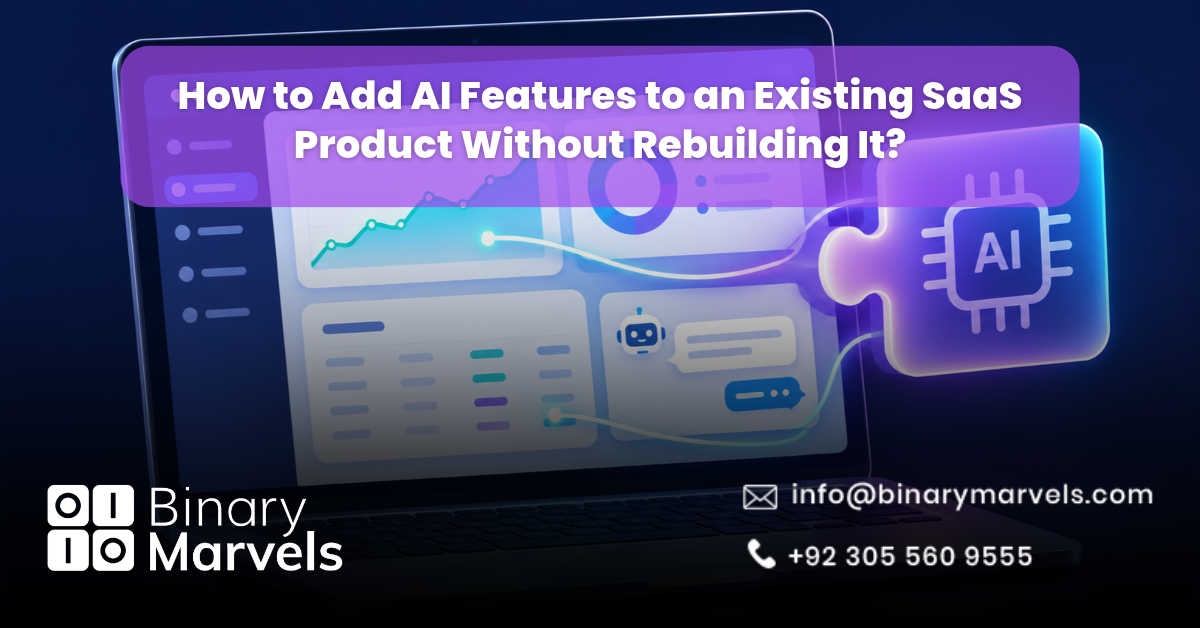
Your users want AI features, and your competitors are already shipping them. The good news is that you do not need to rebuild your product. You can add AI features to an existing SaaS product by placing a thin AI layer between your app and a model provider, then connecting it to one workflow, your existing data, and your current permissions.
The hard part is not calling a model. A 2025 MIT NANDA report found that about 95% of enterprise generative AI pilots showed no measurable impact on profit and loss, and it blamed poor workflow integration, not weak models.
Can You Add AI to a SaaS Product Without Rebuilding It?
Yes. AI works best as a separate layer, not a rewrite. Your database and APIs stay the source of truth. The AI layer reads the data it needs, sends it to a model, and writes results back through the APIs your app already uses.
If the AI feature fails or you switch providers, your core product keeps running. That makes this a much smaller job than the day you developed your SaaS product. It is also an edge SaaS has over traditional software: you ship the feature once, and every customer gets it.
Step 1: Pick One High-Value Workflow
“Add AI” is not a feature spec. Start with one task users already do by hand, where mistakes are easy to spot and fix. Strong first AI features for SaaS products include:
- Summarizing long tickets, notes, or reports
- Tagging and routing support tickets or leads
- Drafting replies or product descriptions
- Pulling fields out of uploaded documents
Before you commit, run three checks:
- Is AI really needed? If a simple rule solves it, use the rule.
- What is the baseline? Measure how long the task takes today and how often users get it wrong.
- What can the AI touch? If it can change records, it needs permissions, confirmation, and an undo option.
Use churn and support data to choose. Features that remove friction for at-risk accounts matter most for customer success in SaaS.
Step 2: Check Whether Your Data Is Ready
AI on messy data gives confident wrong answers. Before you build, confirm that:
- The data the feature needs exists and is easy to query
- Event tracking is complete and consistent
- Every record is tied to the right tenant and user
- Sensitive fields are marked so they never reach a model
Products in vertical SaaS have an edge here, because industry-specific data gives AI features context that general tools lack.
Step 3: Choose the Right AI Integration Pattern
There are four common ways to add AI to an existing SaaS product. Start with the simplest one that solves the problem.
Prompt-Based API Calls
Your backend sends existing data to a hosted model API, such as OpenAI, Anthropic Claude, or Google Gemini, with clear instructions. No model training is needed.
Retrieval-Augmented Generation (RAG)
RAG searches your own content first, then passes the best matches to the model so it answers from your data instead of guessing. If you already run PostgreSQL, the pgvector extension can store embeddings without a new database.
Background AI Processing
The AI runs through a queue, scoring, tagging, or extracting data, then saves results to normal database fields. Users see results without waiting on a live model call.
Embedded In-App Assistants
The AI sits inside the workflow as inline suggestions or a copilot. It adds the most value but needs streaming, guardrails, and careful UX, so build it last.
| Pattern | Best For | Effort |
|---|---|---|
| Prompt-based API | Summaries, drafts, tagging | Low |
| Background processing | Churn scores, lead scores, extraction | Low to medium |
| RAG | Search, document Q&A, support | Medium |
| Embedded assistant | Copilots, inline suggestions | High |
Our guide to the top SaaS development technologies shows how AI tools fit common backend and database options.
Step 4: Build a Thin, Separate AI Service
Never let a model query your database directly. Route every AI call through a small backend service that:
- Fetches only the data the current user may see
- Uses a provider adapter, so you can switch models later
- Keeps prompts in version control, like code
- Sets a timeout and fallback for every call
- Logs inputs, outputs, cost, and latency
Keep AI out of the critical path. If a model call fails, the user’s main action should still complete. Teams on Azure App Service can run this service next to the main app and scale it separately.
Step 5: Protect Tenant Data and Block Prompt Injection
In a multi-tenant product, one badly scoped prompt can leak another customer’s records. Prompt injection, where hidden text tricks a model into ignoring its rules, is ranked the top risk in the OWASP Top 10 for LLM Applications. Key controls include:
- Filter data by tenant ID before it reaches the model
- Treat user content and uploaded files as untrusted input
- Give the AI the least access possible, and require approval for actions like sending emails
- Check model outputs before you show or save them
- Review your provider’s data retention terms and update your privacy policy
Buyers of B2B SaaS products often ask how AI handles their data during security reviews, so document these controls. Our checklist on how to secure SaaS applications and our guide to SaaS security cover the base layer.
Step 6: Control AI Costs Before They Scale
- Use batch jobs: OpenAI and Anthropic both give a 50% discount on batch requests that can wait up to 24 hours.
- Cache repeated prompts: On most Claude models, cached input reads cost one tenth of the normal input price.
- Route by task: Send simple jobs like tagging to smaller, cheaper models.
- Set limits: Cap usage per tenant and turn on spend alerts.
Then decide how to charge: light AI use inside current plans, AI in higher tiers, or paid usage credits. Track cost per action so pricing protects your margin. Our breakdown of SaaS development cost shows how AI usage fees fit into running costs.
Step 7: Fit the AI Into Your Existing UX
- Place AI actions inline, next to the record they affect
- Show outputs as drafts users can accept, edit, or undo
- Show which data the AI used
- Start with focused help before adding a full chat panel
Step 8: Test, Roll Out, and Measure
Build an Evaluation Set
Collect 50 to 100 real examples, including messy inputs and edge cases, with the expected output for each. Rerun it after every prompt or model change.
Roll Out With Feature Flags
Release to internal staff first, then to a small group of customers. Keep a kill switch ready to turn the feature off without a new deploy.
Track the Right Metrics
- Acceptance and edit rates for AI outputs
- Error and fallback frequency
- Cost per AI action
- Retention of accounts that use the feature
The real test is whether AI users stay and grow, which shows up in net revenue retention.
Build In-House or Work With a SaaS Partner?
AI integration is now a normal part of SaaS development. A team with strong backend and security skills can ship a first prompt-based or background feature in-house. RAG, embedded assistants, and compliance-heavy products often need outside help. The thinking from custom SaaS vs off-the-shelf software applies: buy ready-made AI tools for internal work, and build the AI that touches your core product.
The SaaS Development Services at Binary Marvels cover AI integration, architecture, and security for live products. To compare options, see our list of the top SaaS app development company picks in the USA and our guide on how to choose the right SaaS development company.
Frequently Asked Questions
How long does it take to add AI features to an existing SaaS product?
A focused prompt-based or background feature often takes four to eight weeks, including data checks, testing, and a staged rollout. RAG and embedded assistants take longer.
Do I need to train my own AI model?
No. Most SaaS teams use hosted model APIs and add their own data through prompts or RAG. Custom training only makes sense with large amounts of unique data.
How much does it cost to add AI to a SaaS product?
There is the build cost and the ongoing model usage. Third-party AI API fees often run from about $500 to $5,000 per month, depending on usage, model choice, and caching.
Is it safe to send customer data to AI APIs?
It can be, with the right controls. Send only the fields a task needs, filter by tenant, and confirm your provider’s retention and training terms in your contract.
Final Thoughts
Adding AI features to an existing SaaS product works best as a thin, separate layer built around one clear workflow, not a full rebuild. Clean data, tenant isolation, cost controls, and inline UX are what separate useful AI features from failed pilots. Start small with feature flags, measure acceptance and retention, and expand only after real users prove the value.