If you have spent any time researching automation for your business, you have probably run into three terms that seem to overlap: business process automation, robotic process automation, and AI automation. Vendors use them loosely, sales pages mix them up, and most business owners end up more confused after reading about them than before.
The good news is that the difference is simpler than it sounds once you strip away the jargon.
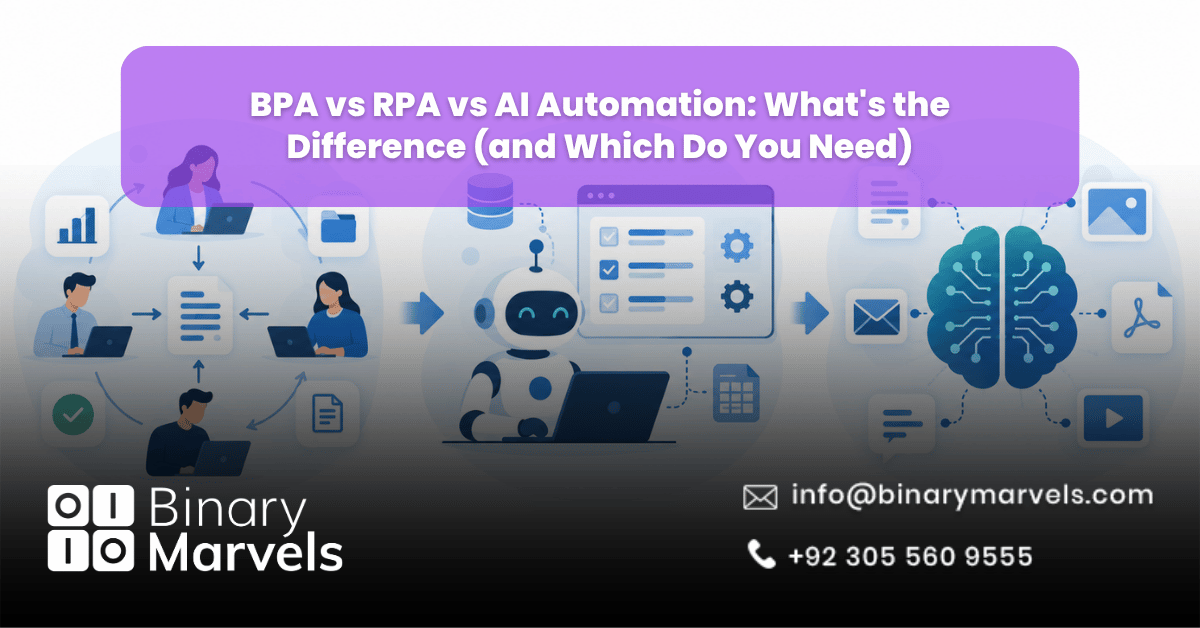
Business process automation (BPA) manages entire workflows across departments and systems, such as onboarding a new employee from paperwork to IT setup. Robotic process automation (RPA) handles a single repetitive task by copying what a human does on a screen, such as moving data from an email into a spreadsheet. AI automation goes a step further by reading unstructured information and making judgment calls, such as classifying a customer complaint or flagging a fraudulent claim.
What Is Business Process Automation (BPA)?
Business process automation is software that manages a complete business workflow from start to finish, often across multiple departments and systems.
BPA looks at the big picture. Instead of automating one task, it coordinates a whole sequence of steps and hands off work between people, apps, and databases using APIs and integrations. This is why BPA is sometimes called workflow automation or process orchestration.
Example: A new employee onboarding process is a classic BPA use case. The system collects documents, creates accounts in HR software, notifies IT to set up equipment, schedules training, and alerts the manager once everything is done. No single task here is complicated, but coordinating all of them manually eats up hours every week.
Small businesses often start their automation journey with a professional services automation setup because it targets the exact kind of multi-step, multi-person workflows that eat up admin time without needing a full AI build.
What Is Robotic Process Automation (RPA)?
Robotic process automation is software that mimics a person clicking and typing on a computer screen to complete one specific, repetitive task.
RPA works at the micro level. It does not understand context or make decisions. It follows exact, rule-based steps, which makes it dependable for repetitive work but brittle the moment something changes on the screen it is working with.
Example: Copying data from an email attachment and pasting it into an old desktop billing system that has no modern API is a textbook RPA job.
RPA is a strong fit when:
- The task is repetitive and rule-based
- The system you are working with is old and has no API
- You need something implemented fast without heavy coding
- The volume of the task is high enough to justify a bot
RPA is a poor fit when the task involves reading unstructured text, making a judgment call, or adapting to new situations. This is where RPA hits its ceiling and AI automation takes over.
What Is AI Automation?
AI automation is software that uses machine learning to understand unstructured information and make decisions based on context, rather than following a fixed set of rules.
This is the biggest shift from the other two categories. BPA and RPA both operate on rules someone wrote in advance. AI automation processes messy, real-world input such as scanned documents, voice recordings, or written text, and it can adjust its output as it sees more data over time.
Example: Reading a batch of customer emails and automatically sorting them into complaints, refund requests, and general questions is an AI automation task, because no fixed rule can account for the countless ways people phrase a complaint.
Binary Marvels builds these systems as custom AI solutions rather than reselling off-the-shelf no-code tools, which matters once your data or workflow gets specific enough that a generic AI plugin cannot keep up.
BPA vs RPA vs AI Automation: What’s the Difference?
| Factor | BPA | RPA | AI Automation |
|---|---|---|---|
| Scope | End-to-end workflow | Single task | Unstructured data and decisions |
| Learns over time | No | No | Yes |
| Works with legacy systems | Sometimes, via integration | Yes, ideal use case | Depends on setup |
| Best for | Multi-step processes | High-volume repetitive tasks | Judgment calls, messy data |
| Example | Employee onboarding | Data entry from email to system | Sorting support tickets by intent |
| Setup speed | Moderate | Fast | Slower, needs training data |
The short version: RPA automates a task, BPA automates a process, and AI automation automates a decision.
Which One Does Your Business Need?
The right choice depends on what is actually slowing your team down, not on which technology sounds the most advanced.
- Choose BPA if your team is bogged down by a process that touches multiple people, apps, or departments, and the steps rarely change.
- Choose RPA if you have one repetitive, rule-based task on a system that has no modern API, and you need a quick fix without a big project.
- Choose AI automation if the bottleneck involves reading, understanding, or judging unstructured information that a fixed rule cannot handle.
Most businesses do not need all three on day one. If you are unsure where your business stands, this breakdown of signs your business needs automation services is a useful starting point before picking a technology.
Can BPA, RPA, and AI Automation Work Together?
Yes, and for most growing businesses, combining them is the eventual goal rather than picking just one.
This combined approach is often called hyperautomation. In practice, BPA manages the overall workflow, RPA handles the repetitive screen-based steps inside that workflow, and AI automation reads the messy inputs and makes the calls that rules cannot. None of the three replaces the others. They cover different parts of the same problem.
If you are trying to figure out which pieces to start with and in what order, working with a business automation company that has built all three types of systems will save you from an expensive trial-and-error approach.
Real-World Example: Automating a Patient or Student Intake Process
Picture a clinic or a school handling new intake forms every day.
- A patient or student fills out an intake form, sometimes on paper, sometimes online.
- RPA pulls structured fields like name, date of birth, and contact details from a digital form into the records system.
- AI automation reads the free-text sections, such as symptoms described in a patient’s own words or a student’s stated learning needs, and tags the record accordingly.
- BPA takes over from there, routing the completed record to the right department, scheduling a follow-up, and notifying staff automatically.
This is a good illustration of how business automation for healthcare practices actually works day to day, and the same structure applies almost directly to schools, clinics, and other service-based businesses handling repetitive intake work.
How Much Does Each Option Cost?
Costs vary widely, but RPA is generally the cheapest to start with, BPA sits in the middle, and AI automation tends to cost more upfront because it needs training data and testing before it performs reliably.
A single RPA bot for one task can often be built and deployed in weeks at a modest cost. A BPA workflow spanning several departments takes longer to map out and typically costs more due to the integration work involved. AI automation projects usually carry the highest upfront investment because the model needs real examples from your business to learn from, though the long-term payoff can be larger since it keeps improving with use.
For a full breakdown of pricing ranges and what drives the cost up or down, see how much business automation actually costs.
Why Choose Binary Marvels for Automation
Binary Marvels has spent over 10 years building custom software, AI solutions, and automation systems for businesses across 15 or more countries. Rather than reselling generic no-code automation platforms, the team builds AI chatbots, voice agents, and appointment setters as native software, which means the automation is built around your actual workflow instead of forcing your workflow to fit a template. With 24/7 support and a track record recognized by five industry awards, Binary Marvels works across BPA, RPA, and AI automation projects so you are not stuck piecing together three different vendors.
Conclusion
Choosing between BPA, RPA, and AI automation is not about picking the most impressive-sounding technology. It comes down to matching the tool to the actual problem: a process that needs coordinating, a task that needs repeating, or a decision that needs judgment. Most businesses that get real value from automation end up using more than one of these together rather than treating them as competing options.
Frequently Asked Questions
Is RPA a type of AI?
No. RPA follows fixed rules and does not learn or adapt over time. AI automation is the technology that adds learning and decision-making, and the two are often combined but are not the same thing.
Do small businesses need BPA or RPA first?
Most small businesses get more value from BPA first, since it addresses whole workflows that waste staff time across departments. RPA is usually added later for specific, high-volume tasks once a clear bottleneck is identified.
What is hyperautomation?
Hyperautomation is the practice of combining BPA, RPA, and AI automation into one connected system, so that workflows, repetitive tasks, and judgment-based decisions are all handled together instead of separately.
Can AI automation replace RPA entirely?
Not usually. AI automation is better at handling unstructured data and decisions, but RPA remains a faster and cheaper option for simple, repetitive tasks on systems without modern APIs. Many businesses use both side by side.