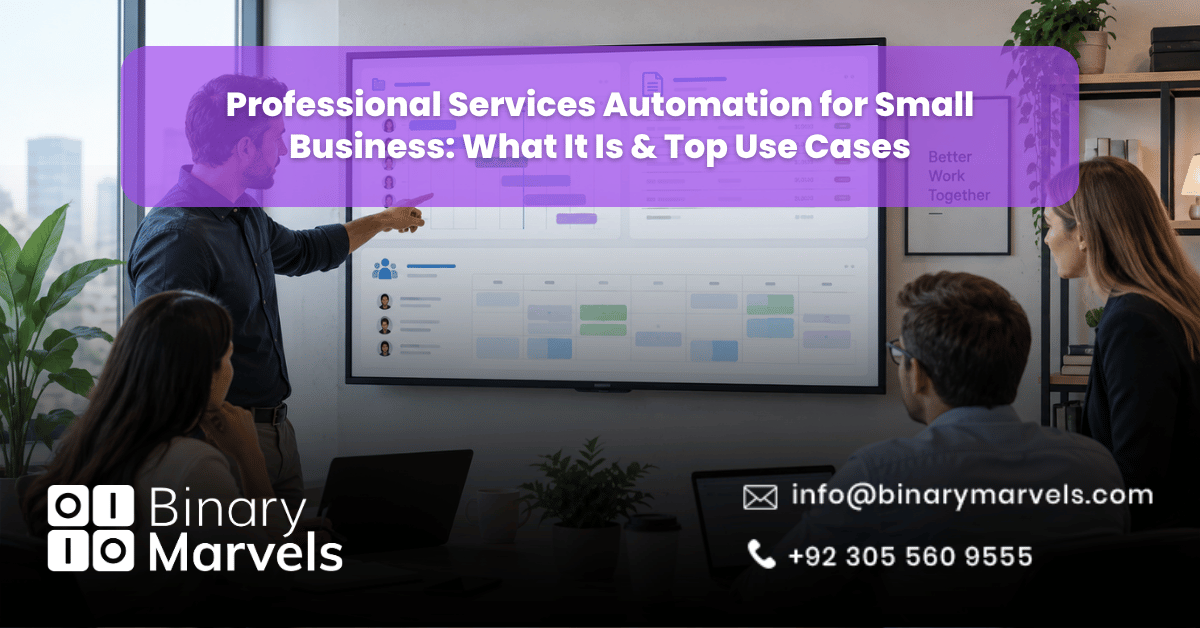
Running a small service business means juggling client work, invoices, staff schedules, and reports, often at the same time. Many owners still do this with spreadsheets and sticky notes. This is where professional services automation, or PSA, comes in. It is one of the most practical forms of business automation services for firms that sell time and expertise rather than physical products.
This guide explains what PSA is, its top use cases for a small team in 2026, and how to choose between a ready-made tool and a custom-built system.
Professional services automation (PSA) is software that combines project management, time tracking, billing, and resource planning into one system for small service businesses. Its main use cases are project tracking, accurate billing, resource planning, and profitability reporting. Small businesses should pick off-the-shelf PSA tools for standard workflows and lower cost, and custom-built automation when their processes do not fit a generic template.
What Is Professional Services Automation (PSA)?
Professional services automation is software that brings project management, time tracking, billing, and resource planning into one system. Instead of switching between five different apps, your team works from a single dashboard that connects the dots.
PSA was originally built for large IT consulting and managed service firms. Today, small consulting shops, marketing agencies, law offices, accounting practices, and design studios all use some version of it, even if they call it by a different name.
The core idea is simple. Every service business runs on three things: people, projects, and money. PSA connects these three so that:
- Project managers know who is available and what is overdue
- Finance knows what to bill and when
- Owners know which clients and projects are actually profitable
PSA vs General Business Automation
People often mix up PSA with general business automation, but the two solve different problems.
General business automation covers a wide range of tools, such as email marketing automation, chatbots, or workflow triggers between apps. PSA is more specific and focuses on the operational backbone of a service business: projects, time, billing, and resourcing.
That said, the two work well together. A small firm might use a PSA platform to run projects and a separate AI chatbot or appointment setter to handle lead intake.
Core Components of a PSA System
A solid PSA setup for a small business usually includes these building blocks:
- Project and task management: Timelines, milestones, and task ownership in one place
- Time tracking: Staff log hours against specific projects or clients
- Billing and invoicing: Automatic conversion of tracked hours into client invoices
- Resource management: A clear view of who is free, who is overloaded, and who fits a new project
- Reporting and analytics: Dashboards showing project margins, utilization rates, and revenue forecasts
- Client and contract management: Basic CRM features tied to active engagements and contracts
Not every small business needs all six from day one. Many start with time tracking and billing, then add resourcing and reporting as the team grows.
Top Use Cases of Professional Services Automation for Small Business
1. Project and Task Tracking
The most common use case is keeping projects on schedule. A small marketing agency running six client campaigns at once cannot rely on memory or scattered chat threads. PSA gives each project a timeline, a task list, and an owner, so nothing slips through the cracks.
2. Accurate Time Tracking and Billing
For firms that bill by the hour, unbilled time is lost revenue. A meaningful share of billable hours go unrecorded when tracked manually. PSA tools log time as work happens and turn those hours into invoices automatically, cutting both leakage and the back-and-forth of manual billing.
3. Resource Allocation and Capacity Planning
Small teams cannot afford to have one person buried in work while another sits idle. PSA gives owners a live view of who is working on what, so new client work gets assigned to the right person instead of the busiest one. This is especially useful for consulting firms and IT service providers juggling multiple client contracts at once.
4. Client and Contract Management
PSA systems usually include a lightweight CRM layer tied directly to projects. This means contract terms, renewal dates, and client history sit next to the actual project data, not in a separate spreadsheet that nobody updates.
5. Profitability and Utilization Reporting
Owners often assume a client is profitable simply because the invoices go out on time. PSA reporting compares billed revenue against actual hours and costs, showing which clients or project types are genuinely worth keeping. This kind of visibility is hard to get from accounting software alone.
6. Document and Proposal Automation
Many PSA platforms now generate proposals, statements of work, and reports from templates, pulling in live project data instead of requiring manual copy-paste. This keeps client-facing documents accurate and saves hours every month.
7. Onboarding and Offboarding Workflows
When a new client signs on or a project wraps up, there is a checklist of steps: setting up folders, assigning a project lead, sending a welcome or closing email, and updating billing records. PSA can trigger these steps automatically instead of relying on someone to remember them.
Signs a Small Business Is Ready for PSA
Not every business needs PSA on day one. It usually becomes necessary when a firm notices patterns like:
- Missed deadlines because nobody has a clear view of workload
- Invoices going out late or with billing errors
- Staff working overtime while unsure which project is actually profitable
- Client information spread across emails, spreadsheets, and sticky notes
If several of these sound familiar, it is a strong signal that manual processes are costing more than a proper system would.
Off-the-Shelf PSA Tools vs Custom-Built Systems
Small businesses generally have two paths.
Off-the-shelf PSA software is fast to set up and comes with a fixed set of features. This works well for firms whose workflow matches the tool closely. The downside is that most platforms charge per user each month, and costs rise quickly as the team grows. Many also come with features a small firm will never use.
Custom-built automation is designed around how your business actually works, rather than forcing your process to fit someone else’s template. This route makes sense once a business has outgrown generic tools or has a workflow that off-the-shelf software cannot handle well, such as combining project billing with AI-driven client intake.
Neither option is automatically better. The right choice depends on team size, budget, and how unusual your workflow is. For a full walkthrough of what to check before signing a contract, see this guide on how to choose a business automation company, and for a checklist of readiness signals, this piece on signs your business needs automation services is worth a look.
Why Choose Binary Marvels for Professional Services Automation
Binary Marvels builds custom software and AI-native automation for small businesses, rather than reselling generic PSA platforms. The company has more than 10 years of experience, five industry awards, and clients across 15 or more countries. This means a small business gets a system built around how it actually works, such as connecting project tracking to an AI appointment setter, linking billing directly to an existing accounting tool, or automating client onboarding from start to finish.
This approach fits small businesses whose workflow does not match a standard PSA template, or those already paying for three or four disconnected tools that one connected system could replace. Binary Marvels also provides 24/7 support after launch, so the automation keeps working as the business grows instead of becoming another tool that falls out of use.
Conclusion
Professional services automation gives small businesses one place to manage projects, time, billing, and client work instead of juggling scattered tools. The right setup depends on team size and how well an off-the-shelf platform fits your actual workflow versus a custom-built one. Choosing carefully now, and revisiting the decision as the business grows, is what turns automation into real time and money saved rather than another tool nobody uses.
Frequently Asked Questions
Is PSA only for large IT and consulting firms?
No. While PSA started in large IT service organizations, small consulting shops, agencies, law firms, and accounting practices now use scaled-down versions of the same tools to manage projects, time, and billing.
What is the difference between PSA and a CRM?
A CRM focuses on managing leads, contacts, and the sales pipeline. PSA focuses on what happens after the sale, running the actual project, tracking time, and billing the client. Some PSA tools include basic CRM features, but they are not built to replace a full sales CRM.
How much does PSA software typically cost for a small business?
Most PSA platforms charge a monthly fee per user, which commonly ranges from around 20 to 50 US dollars per user for small business plans, though this varies by vendor and feature set. Custom-built systems have a higher upfront cost but no per-user fee, which can be cheaper over time for growing teams.
Can PSA be combined with AI tools like chatbots or voice agents?
Yes. Many small businesses pair PSA with AI-driven lead intake or appointment setting so that new client work flows directly into the project system instead of being entered manually.