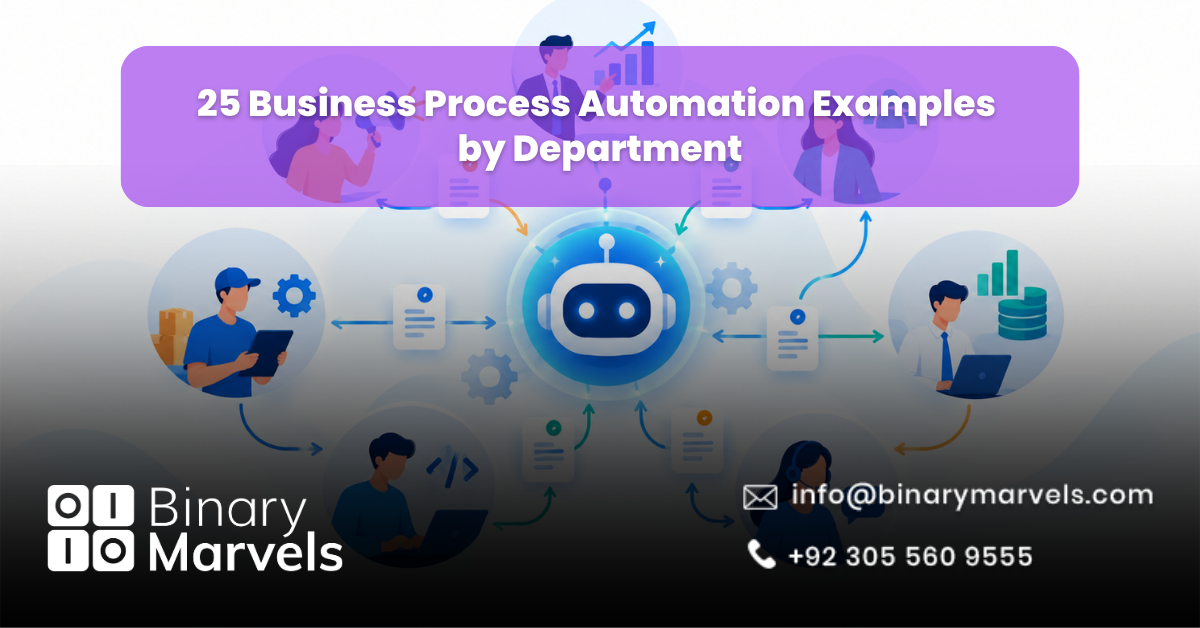
Business process automation examples include lead routing in sales, email drip campaigns in marketing, employee onboarding in HR, invoice processing in finance, ticket triage in customer service, access provisioning in IT, and inventory reordering in operations. Each one uses software to run a repeatable, rule-based task with little manual work.
Manual work slows every team down. Someone copies data between tabs, chases approvals, or forgets a follow-up. The demand for a fix is clear. GII Research values the business process automation market at about USD 22.45 billion in 2026, and a 2024 Camunda study reported that 87% of respondents saw business growth from process automation.
Below are 25 BPA examples grouped by department, with what triggers each workflow and what the software does.
What Is Business Process Automation?
Business process automation (BPA) is the use of software to run repeatable, multi-step business tasks from start to finish with minimal human input. It connects your tools, applies rules, and moves work between people automatically. For a full breakdown, read our guide on what is business process automation.
Business Process Automation Examples at a Glance
| Department | Processes to Automate | Common Trigger |
|---|---|---|
| Sales | Lead routing, follow-ups, proposals | Form submission |
| Marketing | Email drips, social posts, ad alerts | Content download |
| HR | Onboarding, leave, offboarding | Signed offer letter |
| Finance | Invoices, expenses, payroll | Invoice received |
| Customer Service | Ticket triage, chatbot, surveys | New ticket |
| IT | Access, password resets, alerts | New hire or role change |
| Operations | Purchase orders, stock, reports | Low stock level |
What Are Sales Process Automation Examples?
Sales process automation moves leads through the pipeline without manual handoffs, so no prospect waits for a reply.
- Lead routing: A form fill creates a CRM record and assigns it to the right rep by region or deal size.
- Lead enrichment: The system adds company size, job title, and website details to each new lead, so reps skip manual research.
- Follow-up sequences: If a prospect stays silent for three days, the next email goes out and a call task appears.
- Proposal and contract generation: Deal data fills a proposal template. E-signature starts once the client approves, and the CRM stage updates itself.
What Are Marketing Automation Examples?
Marketing automation sends the right message at the right time based on what each person does.
- Behavioral email drips: A guide download starts a related email series. A click on the pricing page alerts sales.
- Social media publishing: Approved posts schedule across platforms from one calendar.
- SEO content workflow: A brief moves from keyword list to writer, editor, and publisher, with reminders at each step.
- Ad budget alerts: Rules send an alert or pause an ad set when cost per lead crosses your limit.
What Are HR Process Automation Examples?
HR process automation handles hiring, leave, and exits in the right order while keeping records accurate.
- Employee onboarding: A signed offer triggers the contract, laptop request, email account, and welcome checklist.
- Leave management: Staff request leave in a form, managers approve it, and balances update on their own.
- Resume screening and interview scheduling: Software filters applications by must-have skills and sends calendar slots to shortlisted people.
- Offboarding: An exit date removes system access, creates an asset return checklist, and alerts payroll.
What Are Finance and Accounting Automation Examples?
Finance automation cuts data entry and errors in tasks that follow strict rules.
- Invoice processing: OCR reads each invoice, matches it with the purchase order, and sends mismatches to a person for review.
- Expense approvals: Staff photograph receipts on their phones. Small claims pass by rule, and large ones go to a manager.
- Payroll calculation: Hours, tax, and deductions flow into the payroll run, and errors are flagged before payment.
- Milestone invoicing and payment reminders: An invoice goes out when a project milestone closes, and reminders follow overdue bills.
What Are Customer Service Automation Examples?
Customer service automation gives fast answers at any hour and sends complex issues to the right agent.
- Ticket triage: Keywords and customer tier set the priority and send each ticket to the right queue.
- 24/7 AI chatbot support: A bot answers common questions and hands complex chats to an agent with the full history attached.
- Feedback collection: A survey goes out when a ticket closes. A low score alerts a manager the same day.
What Are IT Process Automation Examples?
IT process automation clears repeat requests so the team can focus on real problems.
- Access provisioning: A new hire’s role grants the right app access. A role change updates it.
- Helpdesk self-service: A bot handles password resets and common requests without a ticket.
- Backup and monitoring alerts: A failed backup or server warning creates a ticket and pings the on-call person.
What Are Operations and Procurement Automation Examples?
Operations automation keeps suppliers, stock, and reporting on schedule without constant checking.
- Purchase order approvals: The request amount decides who approves, so small buys move fast and large ones get review.
- Inventory reordering: When stock drops below a set level, the system drafts a purchase order for the supplier.
- Automated reporting: A weekly report pulls data from your CRM, accounting tool, and ad accounts, then lands in inboxes every Monday.
What Are the Benefits of Business Process Automation?
The main benefits of business process automation are speed, accuracy, and better use of staff time.
- Faster turnaround: Approvals and handoffs no longer wait for someone to notice them.
- Fewer errors: Software does not mistype a figure or skip a step.
- Clear records: Every action is logged, which helps with audits.
- Easier growth: A workflow that handles 50 requests can usually handle 500.
Which Business Process Should You Automate First?
Automate the process that runs often, follows clear rules, and costs you money when it is late or wrong. Check it against these points:
- It runs daily or weekly.
- It follows clear rules with few exceptions.
- It involves at least two people or two tools.
- A delay or error costs you money or customers.
Not sure where you stand? These signs your business needs automation services can help. Rule-based tasks suit BPA, while messy, text-heavy tasks may need AI. Our comparison of BPA vs RPA vs AI automation explains the difference.
How Do You Measure Business Process Automation Results?
Measure the same numbers before and after launch, then compare them after 30 days.
- Time per task: How long one invoice, lead, or onboarding takes.
- Error rate: Corrections, returned forms, and missed steps each month.
- Response time: How fast leads and tickets get a first reply.
- Staff hours saved: Time saved per task multiplied by task volume.
Common Business Process Automation Mistakes to Avoid
- Automating a broken process. Fix and simplify the steps first, then automate.
- Automating everything at once. Start with one workflow, run it beside the manual version for a week, then expand.
- Skipping human review. Keep a person in charge of exceptions, such as invoice mismatches.
- Picking tools before goals. Define the result you want, then compare workflow automation software tools.
Should You Build Automation Yourself or Hire Help?
Build it yourself if the workflow is simple and runs inside one or two tools. Get help if it links several systems, such as invoice matching across your ERP and CRM. Professional business automation services can map your processes, connect your systems, and support the setup after launch. A reliable business automation company will also be clear on pricing, and our breakdown of how much business automation costs shows what to expect.
Frequently Asked Questions
What is an example of business process automation?
Invoice processing is one of the most common business process automation examples. Software reads the invoice, checks it against the purchase order, and routes it for approval without manual data entry.
Which department benefits most from business process automation?
Finance and HR usually see the fastest gains because their tasks are repetitive and rule-based. Sales and customer service also benefit through faster response times to leads and customers.
How long does it take to automate a business process?
A simple workflow, such as lead routing or leave requests, can go live in days to a few weeks. Workflows that connect several systems take longer because of testing and data cleanup.
Is business process automation only for large companies?
No. Small businesses use BPA for onboarding, invoicing, and follow-ups. Start with one workflow, prove the time saved, then expand.
Summary
This article covered 25 business process automation examples across sales, marketing, HR, finance, customer service, IT, and operations. Unlike most competing lists, it also explained which process to automate first, how to measure results, and which mistakes to avoid. Start with one high-volume, rule-based workflow, prove the result, and scale from there.